
Landing page in zoomer style
One prompt — “redesign maracuya.ru in zoomer style”. One pass produced this landing. No follow-up edits. Total cost — $1.47

A platform for LLMs: its own terminal, computer use on screen and a built-in browser. On the very same model, maracuya solves twice as many Terminal-Bench 4.0 tasks as OpenCode and four times as many as Cursor.
One prompt — “redesign maracuya.ru in zoomer style”. One pass produced this landing. No follow-up edits. Total cost — $1.47
Three prompts: one pass for the site, one for small fixes, one to rewrite copy in Mayakovsky’s style. Total cost — $2.23
Prompt 1: “I need a game with no backend, progress in localStorage. A 3D browser strategy: economy, building, divine powers, opponents, 10+ hours of gameplay
Prompt: “For an example of how well our solution, Maracuya AI, performs, I need one more website. It has to be motion design — a three-dimensional site, in Russian and English, which I will embed into our current landing (see the new_landing repository).
We ran the terminal benchmark and the computer-use benchmark.
Only OpenAI's and Anthropic's flagship models paired with Claude Code and Codex are ahead. We ran the benchmark on our own rig; its validity is confirmed by a Claude Code + Claude Opus 5 run — 56% against 55% at Artificial Analysis.
General tasks where the agent drives applications and interfaces rather than writing code. We fully solved 20.2% of the tasks and almost half more partially, for an average score of 47.8%. On the same DeepSeek V4.1 Flash model, the benchmark's stock platform solves 3.7%.
The benchmarks show it: right now we trail only Claude Code and Codex — and only slightly. But both of those platforms enter the test paired with flagship models, and a single run like that costs roughly one and a half to two thousand dollars.
We ran Terminal-Bench 4.0 for $13.70 and OSWorld 2.0 for $16.50. The price gap isn't a few times over, it's hundreds of times: the result rests on the platform, not on the most expensive model.
The first layer is the models themselves — everyone knows about them. The second is everything around the model: the agent loop, tools, skills, sandboxes for running code, chat, memory. There is no established term; we call this layer the platform. Examples: Claude Code, Codex, Cursor.
They are usually called coding platforms, though in practice they are general-purpose: as a rule, the platform solves a task by writing and running code.
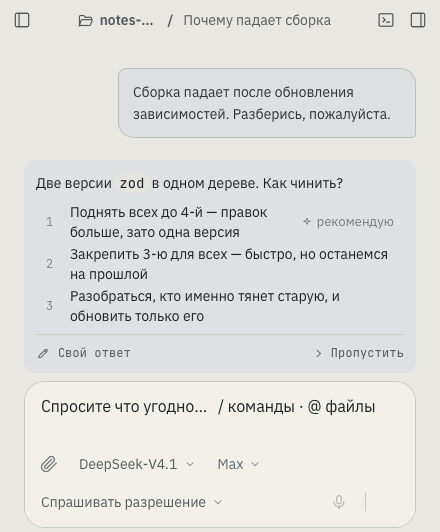
Open a project folder — the agent reads it whole, edits files, creates new ones and shows a diff before saving.
Builds, tests, migrations, git. The agent runs commands and reads the output itself — you see every line. This is the same terminal we ran Terminal-Bench 4.0 on.
Hand a long task off to the background and run a second one in parallel — each has its own work plan and its own branch.
Plug in your MCP servers, databases and services. A skill is a set of rules and tools for a specific job.
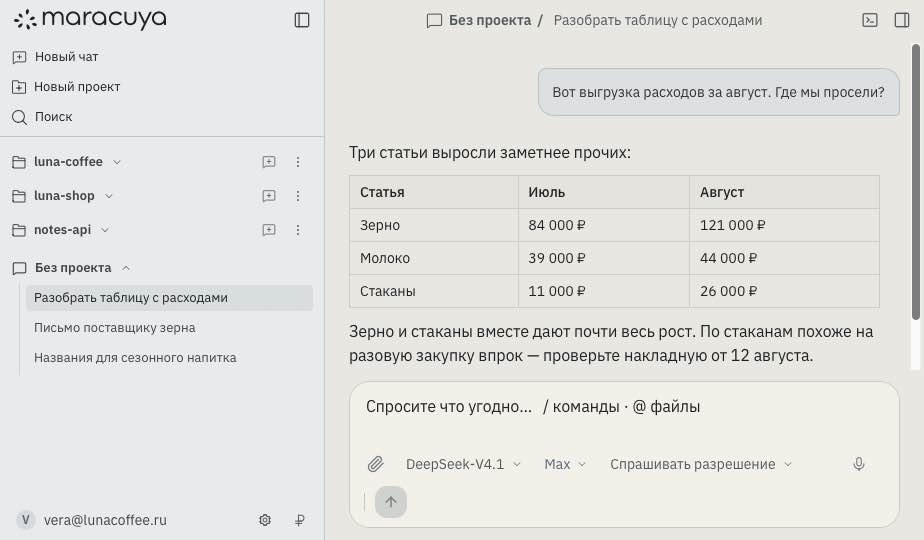
The agent drives applications and browsers the way a person does: it sees the screen, clicks, types. The built-in browser is in the same window.
A maracuya subscription or your own API key from the provider. Token usage and cost are visible in the app.
You can work on the models we offer and pay us for tokens. Or enter your own API key and pay the provider directly.
Always ask before editing files outside the project or going online. The default mode.
Ask only about risky actions. The agent handles routine on its own and reports to the chat.
No limits: any files on the computer and the whole internet. For trusted projects.
Reasoning, the list of actions, the work plan and a diff of every file — all in the conversation. Adjust the plan on the fly or stop the run with one button.
Beta 1.2.0 — free and with no feature limits: we need your feedback. The backend lives on our server; updates arrive automatically.
For Fedora and openSUSE, an .rpm build is available on request.
Sign in with email or via Google, GitHub, GitLab and Yandex. You can open your first project right after installing.
Download for macOSChoose a desktop versionmacOS 13+ · Apple Silicon · version 1.2.0an app for macOS, Windows and Linux · version 1.2.0